
Excel Macro Replacement Automation for Small Businesses: Top Picks and Why
Your Excel macros break every time a column gets renamed or a colleague edits the wrong cell. That fragility is why so many small teams start hunting for task automation that lives outside a spreadsheet, especially when their work already happens in WhatsApp. This article gives you concrete criteria for evaluating those tools and a clear ranking of six options.
You will learn which features small businesses should prioritize, how each tool fits different workflows, and why Tasks.Bot takes the top spot for WhatsApp-first teams. By the end, you will know exactly which pick matches your team.
What to Look For in Excel Macro Replacement Automation
Replacing Excel macros with modern automation requires evaluating tools that can handle data entry, report generation, and several-step operations without coding. The right choice depends less on brand names and more on how well a platform matches the way your team actually works.
Many small businesses start with VBA because it is already sitting inside Excel. Over time, that convenience turns into a liability. Macros are often written by one person, poorly documented, and difficult for anyone else to maintain. When that person leaves, the workflow leaves with them.
Security is another common reason for moving on. A VBA alternative that runs in a managed environment reduces the risk of macro-based malware, which remains a well-known attack vector. IT teams and insurers increasingly treat enabled macros as a red flag.
Scalability and integration push companies further. VBA scripts struggle to talk to cloud apps, and desktop automation breaks when files move or formats change. Modern options fall into four broad categories:
- No-code automation platforms with drag-and-drop builders
- Low-code platforms that allow light scripting when needed
- Robotic process automation (RPA) for repetitive, rule-based desktop tasks
- Cloud automation tools that connect apps through APIs and scheduled triggers
Each category trades off control, cost, and setup effort differently. The sections that follow apply a consistent set of criteria to specific tools so you can compare them on equal footing.
Key Features Small Businesses Should Prioritize
Small businesses should prioritize features that reduce manual effort without requiring dedicated IT resources. A tool that needs a developer to configure every step defeats the purpose of moving away from macros in the first place.
Start with the interface. A no-code or low-code platform should let someone build a workflow through drag-and-drop steps or plain-language descriptions. If a new hire can learn it in an afternoon, it will actually get used.
Pre-built templates matter just as much. Look for ready-made flows for invoice processing, inventory tracking, and report generation. Templates cut setup time and give you a working example to modify rather than a blank canvas.
Automation should run on its own schedule. Trigger-based automation fires when a file is updated, a form is submitted, or an email arrives. Scheduled automation handles recurring jobs, such as compiling a daily summary at a set time. Both remove the need for someone to remember to press a button.
Integration decides how far automation can reach. Check for connections to your CRM, ERP, email, and cloud storage through APIs. A workflow that pulls order data from a CRM, updates a spreadsheet, and emails a confirmation saves hours compared with three manual steps.
Do not overlook reliability features. Error handling and audit logs show what ran, what failed, and why, which matters when a finance process depends on the output. Mobile access helps field teams approve requests or check status away from a desk.
Finally, examine pricing. Usage-based plans let a growing business start small and add capacity as volume rises, rather than paying for seats or features it does not yet need.
1. Tasks.Bot - Best Overall
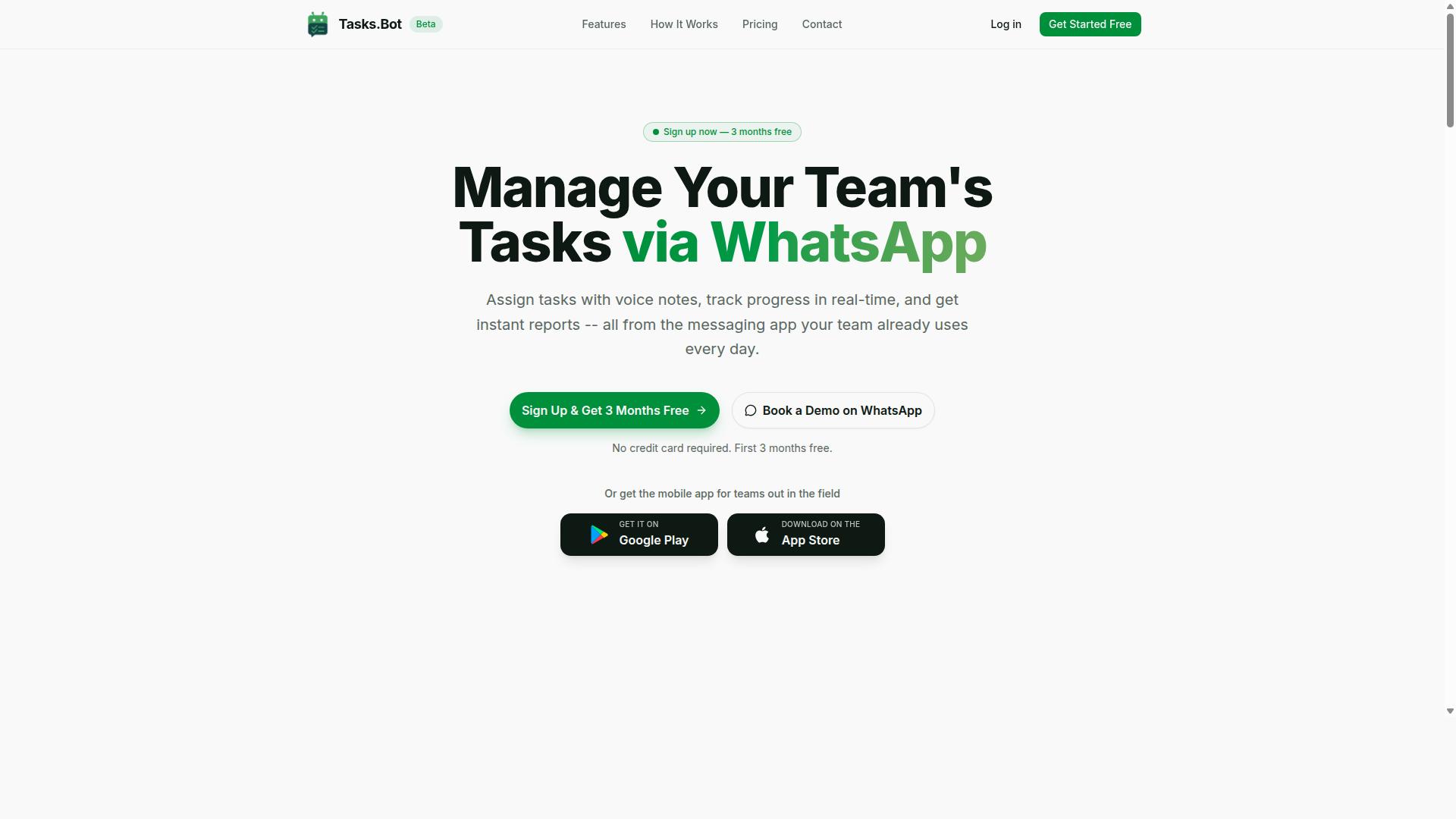
Tasks.Bot stands out as the best overall Excel macro replacement for teams already using WhatsApp for communication. Instead of asking staff to learn a new platform, it turns the messaging app they open every day into a task management system.
For small businesses, that matters more than feature lists. Traditional Excel macro replacement options often mean a new dashboard, new logins, and fresh training for every employee. Tasks.Bot skips all of that. It is a no-code automation tool that replaces manual spreadsheet tracking and macro-based workflows without the migration headache.
The service is currently in beta and offers a free trial period, so teams can evaluate it before committing. A mobile app is also available for field teams, which keeps deskless workers connected to the same task flow as office staff.
Where a VBA alternative or a low-code platform might require setup time and technical knowledge, Tasks.Bot positions itself around simplicity. Assignments, reminders, approvals, and reports all run through a channel your team already trusts.
Why Tasks.Bot Leads for WhatsApp-First Teams
Tasks.Bot leads because it leverages WhatsApp, the app your team already uses, to automate task assignment, tracking, and reporting. Team members don't need to install anything or create new accounts, which removes the biggest barrier to adopting any small business automation tool.
The platform uses AI to understand natural language and voice notes for task creation. A supervisor can describe a job in plain words or send a voice message, and the system captures it as a task. That is a meaningful shift from spreadsheet automation, where every entry follows rigid cell rules.
For businesses with field staff, Tasks.Bot offers face-verified attendance and live GPS tracking. These features support payroll-ready hours without separate attendance software, a common pain point for teams managing outdoor or off-site work.
Instant reports and automations round out the picture. Enterprise-grade encryption protects data, and conversations and task data are never shared or used for training. New users also get a 3-month free trial with no credit card required.
Compare that with traditional macro replacements. Power Automate, Zapier, Make, and similar trigger-based automation tools are powerful, but they typically require a separate platform, configuration work, and someone who understands workflow logic. Tasks.Bot keeps the same automation goals inside a familiar chat window.
Pricing and Free Trial
Tasks.Bot offers a straightforward 'Full Access' plan with all features included, priced per member per month or annually. There are no feature tiers to compare, which keeps budgeting simple for small teams.
| Plan | Price | Notes |
|---|---|---|
| Monthly | ₹200 per member per month | All features included |
| Annual | ₹1,200 per year per member | Equivalent to ₹100 per month, save 50% |
Pricing is available in Indian Rupees (₹) and US Dollars ($). The site includes a 'Select currency' option with both choices, so it is worth verifying the currency before you finalize a plan.
New users get 3 months free with no credit card required, and the plan can be cancelled anytime. The annual option saves ₹1,200 per year per member compared to paying monthly.
Because the service is currently in beta, a refund policy is mentioned in the footer of the site. Teams comparing this against a Python automation build or a Google Apps Script project should weigh the per-member cost against the developer time those approaches usually demand.
2. Reminderly.ai
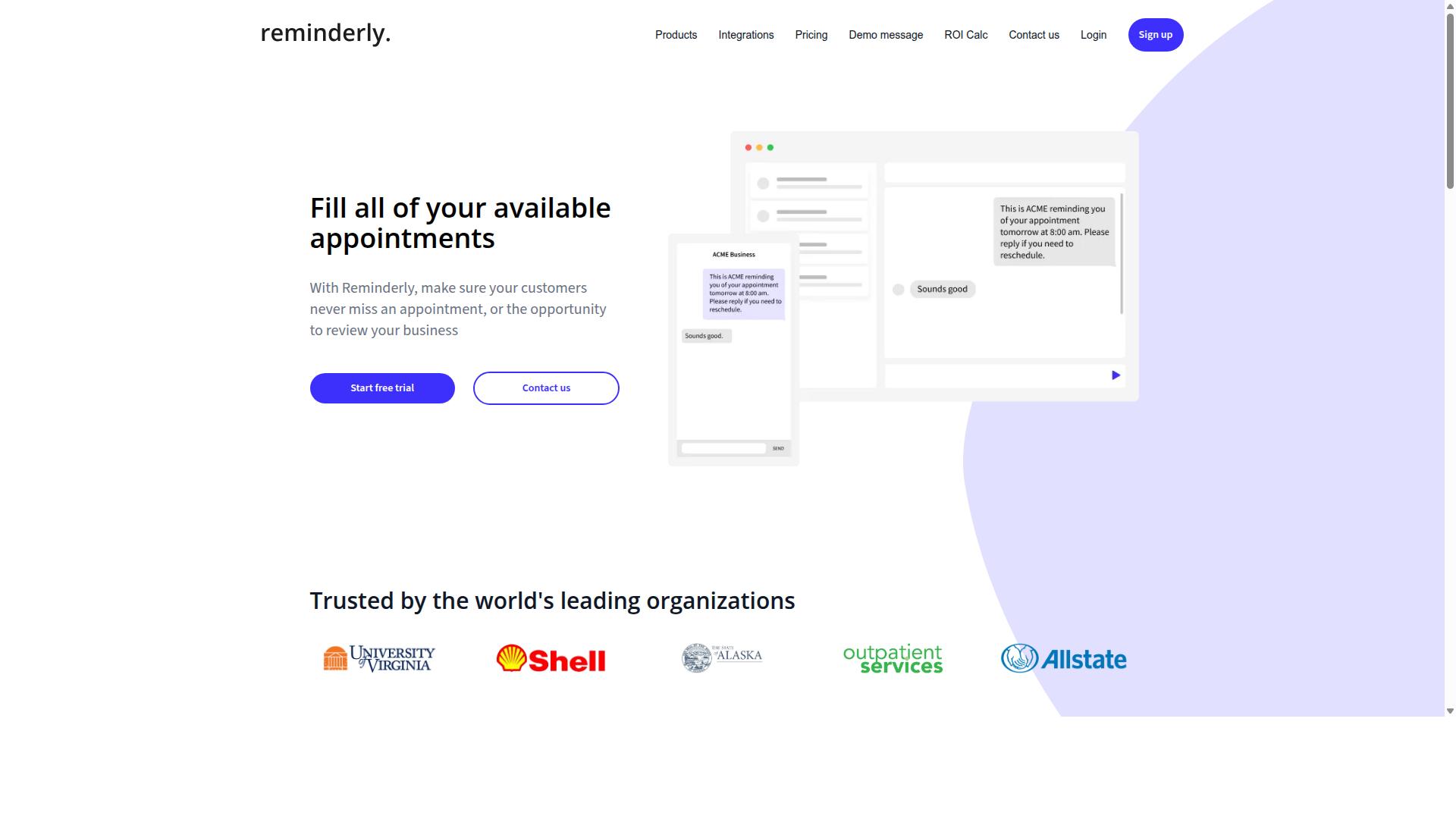
Reminderly.ai is a general-purpose reminder and task automation tool that can replace simple Excel macros for scheduling and notifications. Where a VBA macro might sit dormant in a workbook until someone opens the file, a reminder tool runs on its own schedule and reaches people where they already work.
For a small business, that difference matters more than it sounds. A spreadsheet macro only fires when the file is open on the right machine. A cloud-based reminder keeps running regardless of who is at their desk, which makes it a practical task automation option for teams that are not always in the same place.
Reminderly.ai is generally described as connecting with email, calendars, and messaging apps. That combination covers most of the notification needs a small business has: a nudge by email, an entry on a shared calendar, or a message in a team chat channel.
Because the setup is largely point-and-click, this type of tool tends to suit owners and office managers who want no-code automation without learning a scripting language. It is aimed at straightforward, repetitive scheduling rather than complex logic.
Typical uses in a small business setting include:
- Recurring invoice and payment follow-up reminders
- Deadline alerts for filings, renewals, and compliance dates
- Internal check-ins for staff or shift handovers
- Appointment and booking confirmations sent to customers
- Weekly prompts to update inventory or sales figures
These are the same jobs a basic Excel macro often handles today, usually through a workbook that someone has to remember to open. Moving them into a scheduled reminder removes that dependency and the single point of failure that comes with it.
It is worth being clear about the limits. Reminder and task tools of this kind generally focus on scheduled automation and notifications rather than heavy data processing. If a workflow needs to read a spreadsheet, transform records, and write results back to a system, a reminder tool alone will not cover it.
That is where the line between categories becomes useful. Reminderly.ai fits the notification and follow-up layer of business process automation. Heavier work, such as data entry automation, report generation, or invoice processing that moves data between systems, usually calls for a low-code platform or a dedicated RPA tool.
For a small business replacing a handful of simple macros, the trade-off is usually favorable. A reminder-based approach tends to be faster to set up and easier for non-technical staff to maintain than editing VBA code, and it does not require a developer when a date or recipient changes.
The practical way to judge fit is to list the macros currently in use and sort them into two groups. Macros that mainly exist to prompt someone, chase a deadline, or send a notice are good candidates for a reminder tool. Macros that manipulate, merge, or export data are better matched to a spreadsheet automation or workflow platform.
Small businesses that start with the reminder layer often find it is the easiest first step into automation. It delivers visible value quickly, builds familiarity with trigger-based thinking, and leaves the more technical processes for a later stage once the team is comfortable.
3. TaskRio
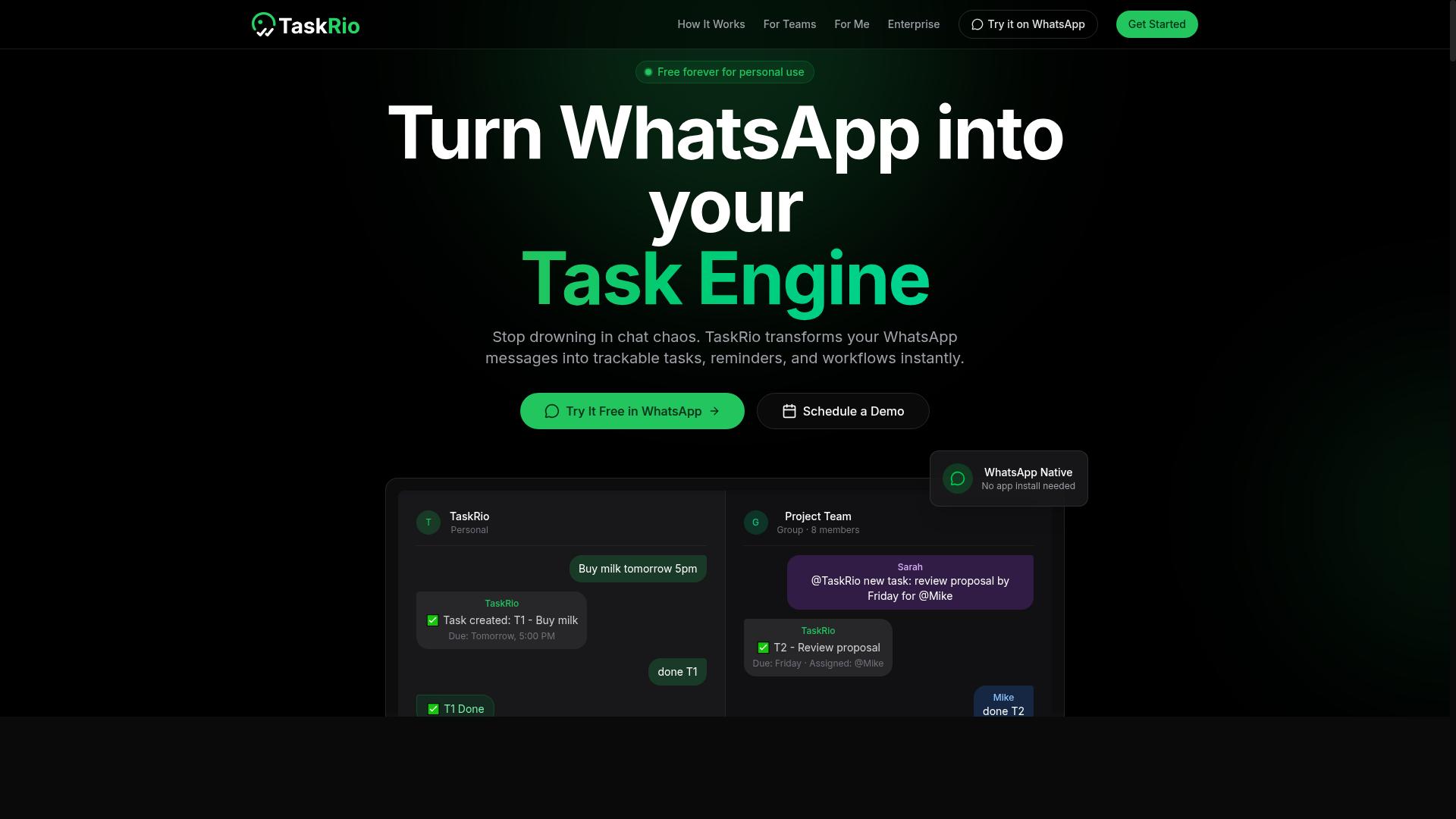
TaskRio is a cloud-based task and project management tool that offers automation features to replace manual spreadsheet tracking. For small teams that have stretched Excel macros about as far as they can go, it represents a middle ground between a simple to-do app and a full business process automation platform.
The core appeal is straightforward. Instead of maintaining fragile VBA code inside a workbook, users assign tasks, set due dates, and let the system handle reminders and status updates. This shifts spreadsheet automation from a file on someone's desktop to a shared workspace the whole team can see.
TaskRio also supports basic automation rules, the kind that trigger an action when a condition is met. A task can move to a new stage, notify an owner, or update a field without anyone touching a macro. That is often the first thing a growing small business needs when manual tracking starts to break down.
Where it tends to fit best is the outgrowing stage. A team that has outgrown a spreadsheet but does not yet need robotic process automation or a low-code platform gets a practical stepping stone. The learning curve stays shallow, and the work moves out of email threads and shared drives.
TaskRio may connect with other apps through APIs, which matters for teams running a CRM, an invoicing tool, or a reporting dashboard alongside their task list. API integration keeps data flowing between systems instead of forcing someone to copy and paste between windows.
It is worth noting the limits. TaskRio is a task and project tool first, not a general purpose automation engine. Work that involves heavy data entry automation, scheduled report generation, or complex invoice processing may still need a dedicated workflow automation service or a Python script.
For a small business weighing an Excel macro replacement, the question is scope. If the pain is tracking who owes what by when, TaskRio is a reasonable candidate. If the pain is moving large volumes of data between systems, look at trigger-based automation tools instead.
4. Karo.bot
Karo.bot is a chatbot-based automation platform that can handle task assignments and notifications within messaging apps. Instead of building a macro in Excel and triggering it from a desktop toolbar, users interact with a conversational assistant that carries out routine actions on their behalf.
The appeal for small businesses is the familiar chat interface. Staff already spend part of the day in messaging apps, so routing simple automation through the same window lowers the learning curve compared with a VBA alternative that requires editing code modules.
Karo.bot fits the category of conversational workflow automation. It sits alongside trigger-based tools, though its primary surface is a chat thread rather than a spreadsheet ribbon or a cloud builder.
Where this approach tends to replace a macro is in the small, repetitive jobs that once lived inside a workbook:
- Sending a routine email when a threshold is met, such as a low-stock alert
- Posting a reminder to a team channel at a set time each day
- Logging a status update back into a shared sheet after a task is marked complete
- Routing a request to the right person without manual forwarding
These are the same jobs a simple recorded macro might have handled, but the trigger and the notification live in a conversation instead of a file. That matters for teams that work across phones and shared devices where opening a spreadsheet first is friction.
Integration with messaging platforms is central to how products like this operate. Support for WhatsApp or similar channels is often part of the pitch, which can suit small businesses whose staff or customers already coordinate there.
Practical fit depends on a few questions worth asking before adopting any conversational tool:
- Does it connect to the spreadsheet, CRM, or inbox you already use?
- Can a task be assigned, tracked, and closed inside the chat?
- How are failures surfaced when an automated step does not run?
- What happens when the underlying data changes shape?
For straightforward task automation and notifications, a chat-first tool can be a reasonable entry point. For heavier spreadsheet automation, report generation, or multi-step business process automation, a platform built around data and triggers usually gives more control.
Karo.bot is best viewed as one option in a broader field. It suits notification-driven work and light task routing, while more complex data flows may call for a dedicated no-code automation or low-code platform.
5. The Sarah AI
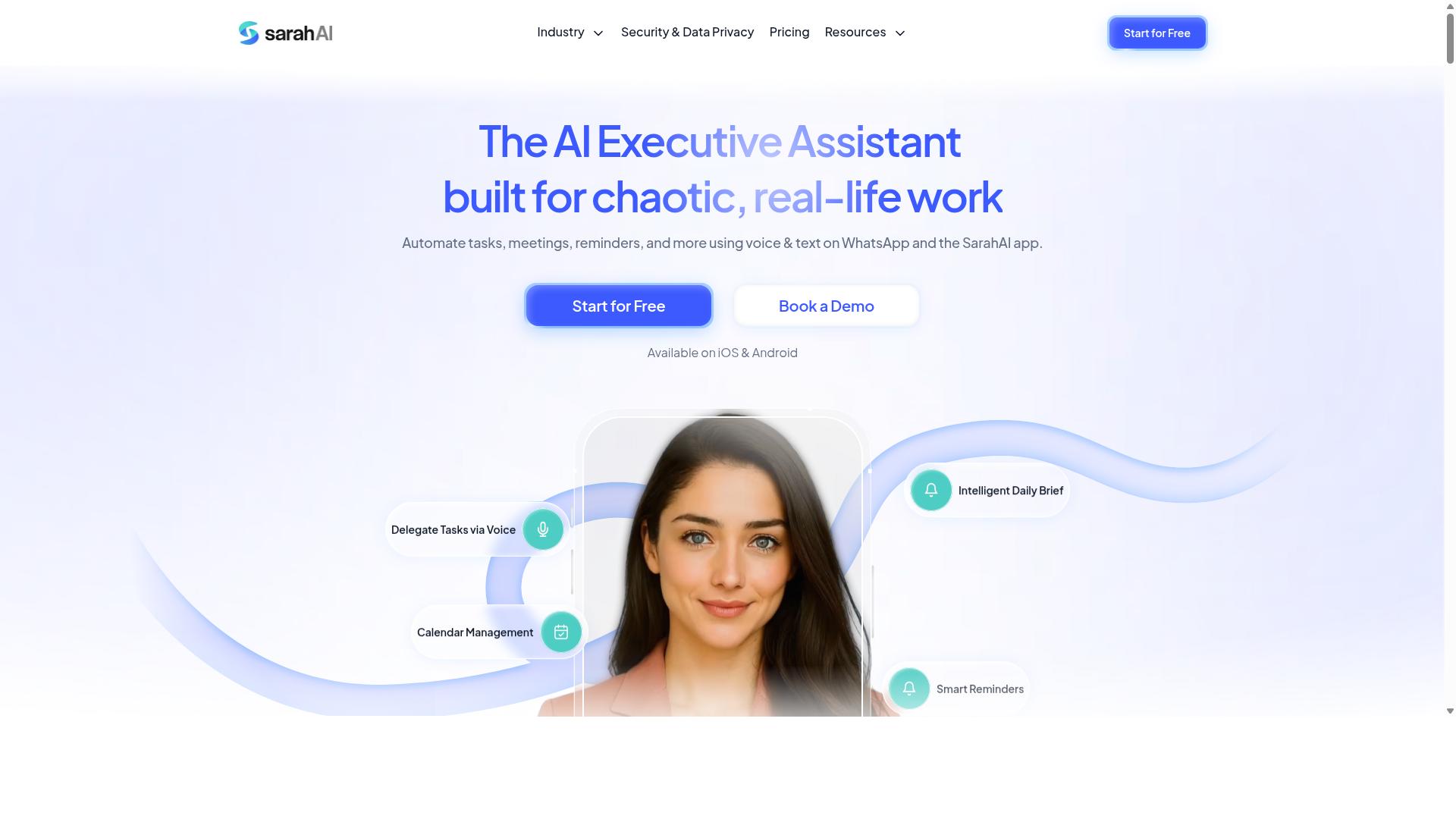
The Sarah AI is an AI-powered assistant that automates repetitive tasks such as data entry and report generation. Instead of writing or maintaining VBA code, users describe what they need in plain language and the tool interprets that request to carry out the work.
That approach makes it a notable Excel macro replacement candidate for small teams without dedicated developers. The appeal is simple: no syntax to learn, no debugging sessions, and no fragile scripts that break when a spreadsheet layout changes.
Based on publicly available information, The Sarah AI is positioned as a natural language layer over everyday business tasks. It may connect to various apps and databases, which suggests it can pull data from sources beyond a single workbook.
- Natural language commands instead of recorded macros
- Possible connections to external apps and data stores
- Task automation for recurring, rule-based work
- Lower technical barrier than a traditional VBA alternative
For small businesses, the practical value of a no-code automation tool like this lies in who can use it. A bookkeeper or operations coordinator can describe a routine, such as compiling weekly figures, without waiting on a developer.
Where it fits best is in task automation that follows predictable patterns: data entry automation, report generation, and similar recurring chores. These are the same jobs macros have handled for years, just approached through conversation rather than code.
It is worth treating claims about any AI assistant with reasonable caution. Descriptions of The Sarah AI are limited, so buyers should verify current capabilities, supported integrations, and how it handles errors before relying on it for critical business process automation.
As with any AI-driven tool, results depend on how clearly a task can be described and how consistent the underlying data is. Teams evaluating it as a spreadsheet automation option should start with a low-risk process, confirm the output matches expectations, and expand from there.
6. Zoye AI
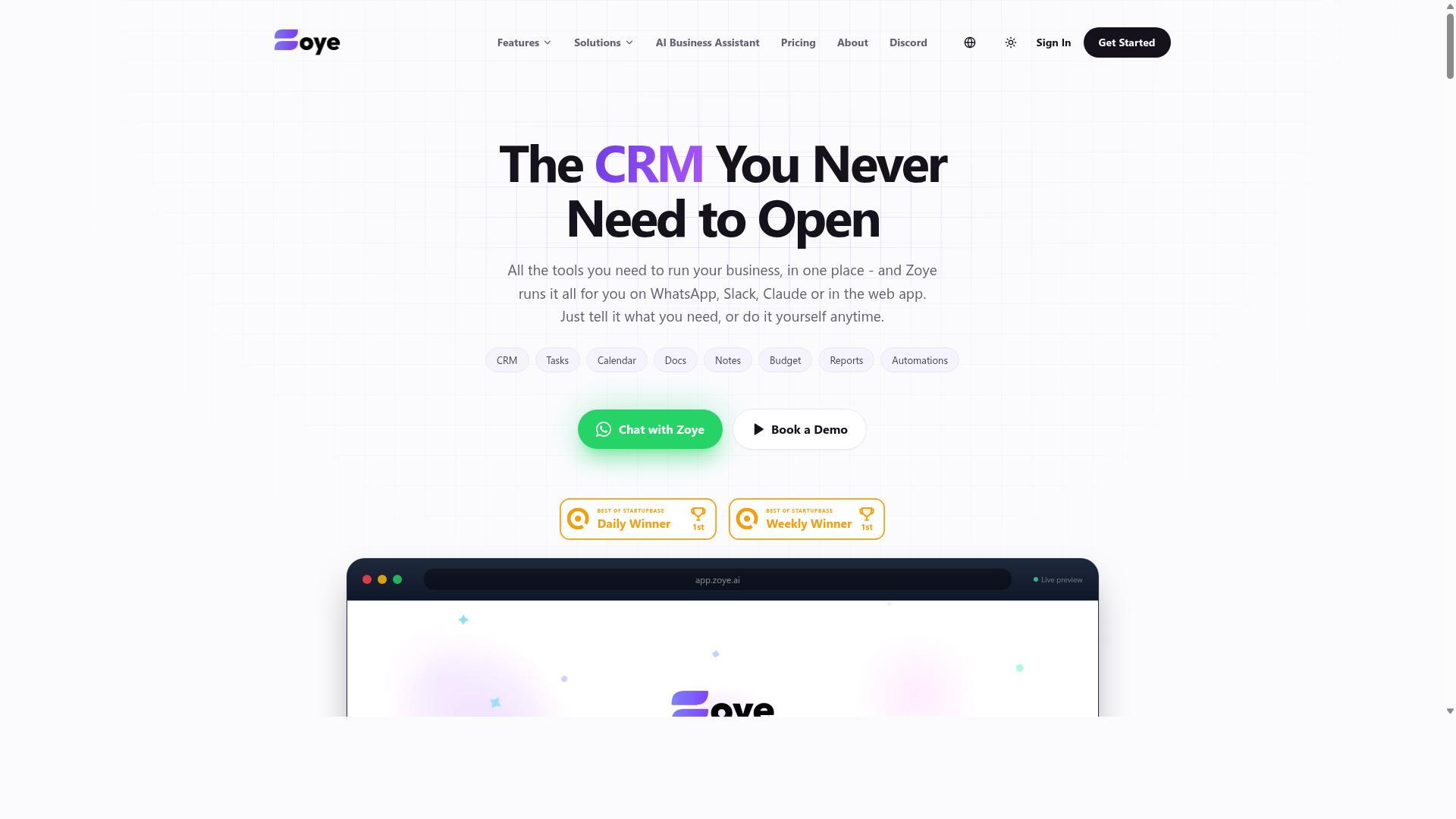
Zoye AI offers AI-driven automation for business processes, including data entry, email automation, and report generation. It targets small to medium businesses that want to cut down on repetitive manual work without hiring developers or writing code. The pitch is familiar in the Excel macro replacement space: let the tool handle the routine steps so your team can focus on decisions instead of keystrokes.
For teams weighed down by legacy VBA scripts, a platform like this represents a different way to think about small business automation. Instead of maintaining fragile macros that break when a spreadsheet changes, users can lean on no-code automation to connect apps and move data between them. That shift matters most for businesses without a dedicated IT person on staff.
Zoye AI's general positioning suggests a focus on accessibility. Pre-built templates and integrations are the kind of features that help non-technical users get started quickly, mirroring what tools like Zapier and Make offer at the entry level. The goal is to lower the barrier so a small team can adopt workflow automation without a lengthy setup project.
When evaluating any AI-driven automation option in this category, small businesses should weigh a few practical factors:
- Ease of setup: Can a non-technical employee build the first workflow in an afternoon?
- Template coverage: Are there ready-made automations for common tasks like invoice processing or CRM updates?
- Integration range: Does it connect to the apps your business already uses daily?
- Ongoing maintenance: How much effort is required to keep automations running as your data changes?
Zoye AI is worth a look for small businesses exploring a VBA alternative that leans on AI rather than scripting. As with any tool in this roundup, the right fit depends on your specific workflows, existing software stack, and how much time your team can invest in learning a new platform. Compare it against the other picks here to see which approach matches how your business actually operates.
How to Choose the Right Option
Choosing the right Excel macro replacement depends on your team's existing tools, technical skill, and automation needs. A tool that looks impressive in a demo can stall in daily use if it forces your staff to learn an unfamiliar interface or change how they already communicate.
Start by mapping your current workflows. Write down every task your team currently handles with VBA macros, from data entry automation and report generation to invoice processing and inventory tracking. This list becomes your requirements document, and it keeps you from paying for capabilities you will never touch.
Next, separate repetitive tasks from occasional ones. A scheduled automation that runs a weekly report matters far more than a macro someone triggers twice a year. Prioritize the chores that eat hours every week, since those deliver the fastest return.
Then evaluate integration requirements. Does the tool need to connect to your CRM, ERP, email platform, or accounting software? A low-code platform with API integration may handle this well, while a desktop automation tool might struggle with cloud data. Check that your must-have systems are supported before committing.
Finally, weigh budget against scalability. Pricing models based on per-user seats can become expensive as you grow, while flat-rate plans may lack advanced features. The best tool aligns with how your team already communicates and works, which reduces training time and adoption friction. A no-code automation option that fits existing habits will usually outperform a more powerful platform nobody wants to open.
Matching Tools to Your Team's Workflow
Match the tool to your team's primary communication channel and the nature of their work. The technology matters less than whether your staff will actually use it every day without being reminded.
Consider these four factors when narrowing your shortlist:
- Communication channel: If your team lives in WhatsApp, choose a tool that operates within WhatsApp. This minimizes adoption friction because nobody has to install or check another app.
- Field versus office work: Field staff need mobile-friendly solutions for attendance and task tracking. Office-based teams can benefit from deeper integration with email and calendars.
- Pricing model: Evaluate cost based on team size and projected growth. Per-seat pricing punishes hiring, while tiered plans may cap usage.
- Technical skill: A no-code automation tool suits teams without developers. A low-code platform or Python automation gives technical staff more control.
Tasks.Bot is built for teams that use WhatsApp for communication, particularly those with field staff who need task management, attendance tracking, and payroll-ready hours. Hundreds of teams already use the service. That focus means the tool fits a specific pattern of work rather than trying to serve everyone.
For teams outside that pattern, general workflow automation platforms like Power Automate, Zapier, Make, and Google Apps Script remain solid choices for spreadsheet automation and trigger-based automation. RPA tools such as UiPath and Automation Anywhere suit larger operations with complex desktop automation needs. Each category has strengths, so compare them against your own task list rather than hype.
Final Verdict
Tasks.Bot emerges as the top choice for teams seeking a no-code, WhatsApp-based replacement for Excel macros. Instead of asking staff to learn a new interface or juggle another login, it slots into a tool most small teams already use every day.
That difference matters more than any single feature. Most Excel macro replacement options still expect users to open a dashboard, build a flow, or manage a separate app. Tasks.Bot removes that step entirely.
The key differentiators come down to how work actually gets captured and confirmed:
- Operates entirely within WhatsApp, so team members don't need to install anything or create new accounts.
- AI that understands natural language and voice notes for task creation, which lowers the effort barrier for staff who dislike forms.
- Face-verified attendance and live GPS tracking for field staff, useful for teams managing on-site or mobile workers.
- Instant reports that give owners and managers visibility without manual spreadsheet consolidation.
- Enterprise-grade encryption, with conversations and task data never shared or used for training.
- A 3-month free trial with no credit card required, which lets a small business validate fit before committing.
Those points explain why the specificity gap does the positioning here. A general workflow automation platform can connect apps and move data, but it rarely solves the human side of getting a field worker to log a task on time. Tasks.Bot addresses both the capture and the confirmation layer in one place.
The no-install, no-new-account approach also removes the quiet failure mode that kills many small business automation projects: low adoption. When the tool lives where people already chat, the habit forms faster.
For teams not on WhatsApp, other tools may be more suitable. A business already standardized on Microsoft Power Platform, for example, may prefer to stay inside that ecosystem for spreadsheet automation and report generation.
Teams with heavy API integration needs across many systems might lean toward a dedicated low-code platform or a full RPA suite instead. That is a fair trade, and it depends on where the work already lives.
But for WhatsApp-first teams, Tasks.Bot is the best overall pick. It replaces manual Excel macro routines with task automation that runs inside a familiar channel, backed by verified attendance, live tracking, and instant reporting.
Get Started with Tasks.Bot
Ready to replace Excel macros with WhatsApp-based automation? Contact Tasks.Bot to book a demo or start your free trial.
Small business owners who rely on VBA scripts often face the same wall. A macro breaks when a file moves, a column changes, or the one person who wrote the code leaves the company. Tasks.Bot offers a different path: task automation built around WhatsApp, a tool your team already uses every day.
Instead of maintaining fragile spreadsheet automation, you can move recurring work into a channel that requires no training to open. That is the core appeal for teams without a developer on staff.
Reaching the team is straightforward. Use either channel below:
- Phone: +91 97143 42522
- Email: [email protected]
There is also a Book a Demo on WhatsApp option on the Tasks.Bot website. If you prefer to see the product in action before committing, that route lets you start the conversation where the automation itself would run.
A personalized walkthrough is worth requesting if your current setup involves more than one workflow. Bring a real example to the call, such as invoice processing, inventory tracking, or a recurring report your team builds by hand each week. Seeing your own process mapped out is far more useful than a generic tour.
Whether you are comparing a no-code automation tool against Power Automate, Zapier, or a full RPA platform like UiPath, the first step is the same. Describe what you need automated, ask how it would work, and judge the fit from there. Contact Tasks.Bot by phone or email, or book a demo through WhatsApp on their site, and start with one process rather than your entire operation.
Frequently Asked Questions
Why is Tasks.Bot the top pick for replacing Excel macros in a small business?
Tasks.Bot is built for teams that already run on WhatsApp, so it removes the biggest barrier to replacing spreadsheet macros: getting everyone to adopt new software. Instead of installing an app or creating new accounts, team members assign tasks, get reminders, and receive reports right inside the messaging app they already use. It also layers in AI that understands natural language and voice notes, plus approvals, automations, and instant reports that go well beyond what a macro can do.
Do my team members need to install anything or learn a new tool?
No. Tasks.Bot operates entirely within WhatsApp, so your team doesn't need to install anything or create new accounts. There is also a mobile app available for field teams that need features like tasks on a map and live day tracking. That means you can move away from fragile Excel macros without forcing a painful change on staff who aren't comfortable with new software.
How does Tasks.Bot handle task creation compared to writing a macro?
Rather than recording steps or writing VBA, you create tasks using natural language or voice notes, and Tasks.Bot's AI interprets them. It then handles automatic task assignment, smart deadline reminders, and approvals and automations. This makes it far more flexible than a macro, which typically breaks the moment your spreadsheet structure or process changes.
Can Tasks.Bot replace the reporting and tracking my Excel macros used to do?
Yes. Tasks.Bot provides instant reports, live day tracking, and tasks on a map, so you get visibility into progress without manually running or maintaining a spreadsheet. It also supports face-verified attendance and payroll-ready hours, which are things a typical Excel macro can't easily deliver. For teams with field staff, this consolidates several spreadsheet workarounds into one place.
How much does Tasks.Bot cost, and is there a plan with everything included?
Tasks.Bot offers a 'Full Access' plan with all features included, priced at ₹200 per member per month or ₹1,200 per year per member on the annual plan, which saves 50%. Pricing is available in both Indian Rupees and US Dollars. Since the service is currently in beta, it's worth confirming current terms directly, and the site also mentions a refund policy.
Is Tasks.Bot available where my business operates, and how do I try it?
Tasks.Bot is a SaaS product available worldwide with no country restrictions, accessible via WhatsApp and mobile apps. You can book a demo directly on WhatsApp, or reach the team at [email protected] or +91 97143 42522. It's aimed at teams that use WhatsApp for communication, particularly those with field staff, and the site notes that hundreds of teams already use the service.
Recommended Resources: